Translate

Friday, April 17, 2020

Good price for Lenovo ThinkPad P73 Laptop


Dubbed by the company as the "most effective ThinkPad ever," the Lenovo P73 is normally a 17.3-inch mobile workstation designed to tackle the most demanding workloads you can throw at it. If the specs are any indication, it does not have any issue doing so certainly. For example, users have the choice to power the P73 with either a 9th Gen Intel Primary or Intel Xeon multi-core processor and can equip it with powerful NVIDIA Quadro RTX images that can leverage a variety of 4K UHD and Dolby Vision display options. The brand new Lenovo workstation comes filled with high-end connectivity also, including three USB-A 3.1 Gen 1 ports, HDMI 2.0, a USB-C slot, dual Thunderbolt 3 ports, a 4-in-1 media cards reader and a headphone/mic combo port.
The focus of the new release is about power beneath the hood certainly, as the Lenovo ThinkPad P73 features up to the most recent 9th Generation Intel Core i9-9880H (vPro), which features 2.30GHz, up to 4.80GHz with Turbo Boost, 8 Cores and 16MB Cache. Users can also clothing the P73 with an Intel Xeon E-2276M vPro (2.80GHz, up to 4.70GHz with Turbo Boost, 6 Cores and 12MB Cache). Users can truly add up to generous 128GB of DDR4 2666MHz RAM also, which will fulfill any innovative professional. For storage space, users have the option of outfitting the P73 with up to 2 x 2TB PCIe SSDs and 1 x 2TB SATA HDD.
Graphics choices include up to the powerful NVIDIA RTX Quadro 5000 series, that allows for real-time 3D and VR rendering speeds, AI-augmented tools and a variety of ISV certifications. Those searching for a less costly build can choose from the NVIDIA Quadro P620 (4GB), Quadro T2000 (4GB), Quadro RTX 3000 (6GB), or Quadro RTX 4000 (8GB).
Weighing in at 7.5 pounds (simply for the starter build), the P73 is among the heaviest mobile workstations we reviewed. This is understandable certainly, as the Lenovo laptop isn't meant to become an ultra-portable solution, it had been constructed to deliver the power of needed to flawlessly work the most resource-demanding innovative software you can throw at it.
That said, the P73 has a 4k UHD (3840 x 2160) option that features 400-nit display for vibrant color with 100% Adobe color gamut and the company's X-Rite Pantone Color Calibration Service. Users can also choose a model with Dolby Vision high dynamic range (HDR) technology to create true-to-life images and video. This is a very bright and beautiful screen.
Connectivity on the right side includes a headphone/mic combo slot, a USB-A 3.1 Gen 1 port, a 4-in-1 media card reader, a USB-C interface and an RJ45 Ethernet port. Turning it about to the left part shows an on USB-A 3 always.1 Gen 1 interface and a smart card reader. On the trunk is a USB-A 3.1 Gen 1 interface, an HDMI 2.0 ports, twp Thunderbolt 3 ports, and the power input.
For graphics, we outfitted the Lenovo P73 with the effective NVIDIA Quadro RTX 5000, which is driven by the NVIDIA Turing architecture and NVIDIA RTX platform. Merging ray tracing, deep learning, and advanced shading, this professional graphics card should excel in workflows for creative and technical professionals.
Conclusion The Lenovo ThinkPad P73 Workstation Laptop is a customizable, power-driven mobile workstation that can be outfitted with an extraordinary group of components. As demonstrated above, this certainly allowed it to execute well inside our tests and can excel in any resource-intensive professional software thrown at it. A top-of-the-line build would are the most recent 9th Era Intel Core i9-9880H (2.30GHz, up to 4.80GHz with Turbo Increase, 8 Cores and 16MB Cache) or an Intel Xeon E-2276M vPro (2.80GHz, up to 4.70GHz with Turbo Increase, 6 Cores and 12MB Cache), along with up to 128GB of DDR4 RAM, an NVIDIA RTX 5000 professional graphics card and PCIe NVMe SSD storage.
The option of experiencing a bright and beautiful 4k UHD (3840 x 2160), 400-nit display with 100% Adobe color gamut is pretty nice. Creative professionals will appreciate the colour precision via Lenovo's X-Rite Pantone Color Calibration Support as and Dolby Vision HDR technology. With this stated, the ThinkPad P73 can be a beast of a machine. Weighing in at over 7 pounds with a 17-inch screen means that this isn't the most portable device, so you'll need a hefty laptop bag to lug this plain thing around. All of this is certainly understandable, as Lenovo is focused on power over mobility using its new workstation certainly.
In our performance charts, we compared the Lenovo ThinkPad P73 to the HP ZBook 17 G6, another 17-in . power-driven mobile workstation that's outfitted with an RTX5000 also. Looking at ESRI ArcGIS Pro functionality, the P73 demonstrated very impressive scores in average Minimum amount and FPS FPS for all three of our testing, outperforming the 17-in . HP workstation in all but a few areas. The P73 continued this performance inside our SPECworkstation3 and SPECviewperf 13 tests, boasting among the best outcomes we've seen for its class.
To reach these total results, however, you will have to delve deep in your wallets, as top-tier P73 builds can reach more than $6,000. Professionals will also have to keep in mind that they shall have to carry around a heavy laptop. That being said, this is par for the program when it comes to mobile power, so this isn't anything new.
General, the Lenovo ThinkPad P73 Mobile Workstation is an impressive top-class solution for all those with high-end graphics requirements.

Best savings for Lenovo ThinkPad P73


Dubbed by the ongoing company as the "most powerful ThinkPad ever," the Lenovo P73 is definitely a 17.3-inch mobile workstation made to tackle the most demanding workloads you can throw at it. If the specs are any indication, it really has no issue doing this. For example, users have the option to power the P73 with either a 9th Gen Intel Core or Intel Xeon multi-core processor and may equip it with effective NVIDIA Quadro RTX images that can leverage a variety of 4K UHD and Dolby Eyesight display options. The brand new Lenovo workstation also comes filled with high-end connectivity, including three USB-A 3.1 Gen 1 ports, HDMI 2.0, a USB-C interface, dual Thunderbolt 3 ports, a 4-in-1 media cards reader and a headphone/mic combo port.
The focus of the new release is obviously about power under the hood, as the Lenovo ThinkPad P73 features up to the latest 9th Generation Intel Core i9-9880H (vPro), which features 2.30GHz, up to 4.80GHz with Turbo Boost, 8 Cores and 16MB Cache. Users can also clothing the P73 with an Intel Xeon E-2276M vPro (2.80GHz, up to 4.70GHz with Turbo Boost, 6 Cores and 12MB Cache). Users can also soon add up to a generous 128GB of DDR4 2666MHz RAM, which will fulfill any innovative professional. For storage space, users have the option of outfitting the P73 with up to 2 x 2TB PCIe SSDs and 1 x 2TB SATA HDD.
Graphics options include up to the powerful NVIDIA RTX Quadro 5000 series, that allows for real-time 3D and VR rendering speeds, AI-augmented equipment and a variety of ISV certifications. Those searching for a less costly build can pick from the NVIDIA Quadro P620 (4GB), Quadro T2000 (4GB), Quadro RTX 3000 (6GB), or Quadro RTX 4000 (8GB).
Weighing in at 7.5 pounds (just for the starter build), the P73 is among the heaviest mobile workstations we reviewed. This is certainly understandable, as the Lenovo notebook isn't meant to become an ultra-portable solution, it was constructed to deliver the energy of had a need to flawlessly work the most resource-demanding innovative software you can throw at it.
That said, the P73 has a 4k UHD (3840 x 2160) option that features 400-nit screen for vibrant color with 100% Adobe color gamut and the company's X-Rite Pantone Color Calibration Provider. Users can also choose a model with Dolby Eyesight high powerful range (HDR) technology to create true-to-life pictures and video. That is a very bright and beautiful display screen.
Connectivity on the right side carries a headphone/mic combo slot, a USB-A 3.1 Gen 1 port, a 4-in-1 media cards reader, a USB-C interface and an RJ45 Ethernet port. Turning it around to the left side shows an generally on USB-A 3.1 Gen 1 interface and a good card reader. On the relative back is a USB-A 3.1 Gen 1 slot, an HDMI 2.0 ports, twp Thunderbolt 3 ports, and the energy input.
For graphics, we outfitted the Lenovo P73 with the effective NVIDIA Quadro RTX 5000, which is powered by the NVIDIA Turing NVIDIA and architecture RTX platform. Combining ray tracing, deep learning, and advanced shading, this professional graphics card should excel in workflows for innovative and technical professionals.
Conclusion The Lenovo ThinkPad P73 Workstation Laptop is a customizable, power-driven mobile workstation which can be outfitted with an extraordinary set of components. As demonstrated above, this certainly allowed it to perform well inside our tests and can excel in any resource-intensive professional software thrown at it. A top-of-the-line build would include the latest 9th Generation Intel Core i9-9880H (2.30GHz, up to 4.80GHz with Turbo Increase, 8 Cores and 16MB Cache) or an Intel Xeon E-2276M vPro (2.80GHz, up to 4.70GHz with Turbo Boost, 6 Cores and 12MB Cache), along with up to 128GB of DDR4 RAM, an NVIDIA RTX 5000 professional images PCIe and cards NVMe SSD storage.
The option of having a bright and beautiful 4k UHD (3840 x 2160), 400-nit screen with 100% Adobe color gamut is very nice. Creative professionals will appreciate the colour precision via Lenovo's X-Rite Pantone Color Calibration Services as and Dolby Eyesight HDR technology. With this stated, the ThinkPad P73 is a beast of a machine. Weighing in at over 7 pounds with a 17-inch screen implies that this isn't the most portable device, so you'll need a hefty laptop computer bag to lug this plain thing around. All of this is obviously understandable, as Lenovo certainly is focused on power over mobility with its new workstation.
In our performance charts, we compared the Lenovo ThinkPad P73 to the HP ZBook 17 G6, another 17-inch power-driven mobile workstation that is also outfitted with an RTX5000. Looking at ESRI ArcGIS Pro functionality, the P73 demonstrated very impressive scores in average Minimum amount and FPS FPS for all three of our exams, outperforming the 17-inches HP workstation in all but a couple of areas. The P73 continued this performance in our SPECviewperf and SPECworkstation3 13 tests, boasting among the best outcomes we've seen for its class.
To reach these results, however, you will have to delve deep in your wallets, as top-tier P73 builds can reach well over $6,000. Professionals will also have to keep in mind that they shall have to carry around a heavy laptop. That being said, that is par for the course with regards to mobile power, so this isn't anything new.
Overall, the Lenovo ThinkPad P73 Mobile Workstation can be an impressive top-course solution for those with high-end graphics needs.

Saturday, October 5, 2019

Google Pixel 3a Specs

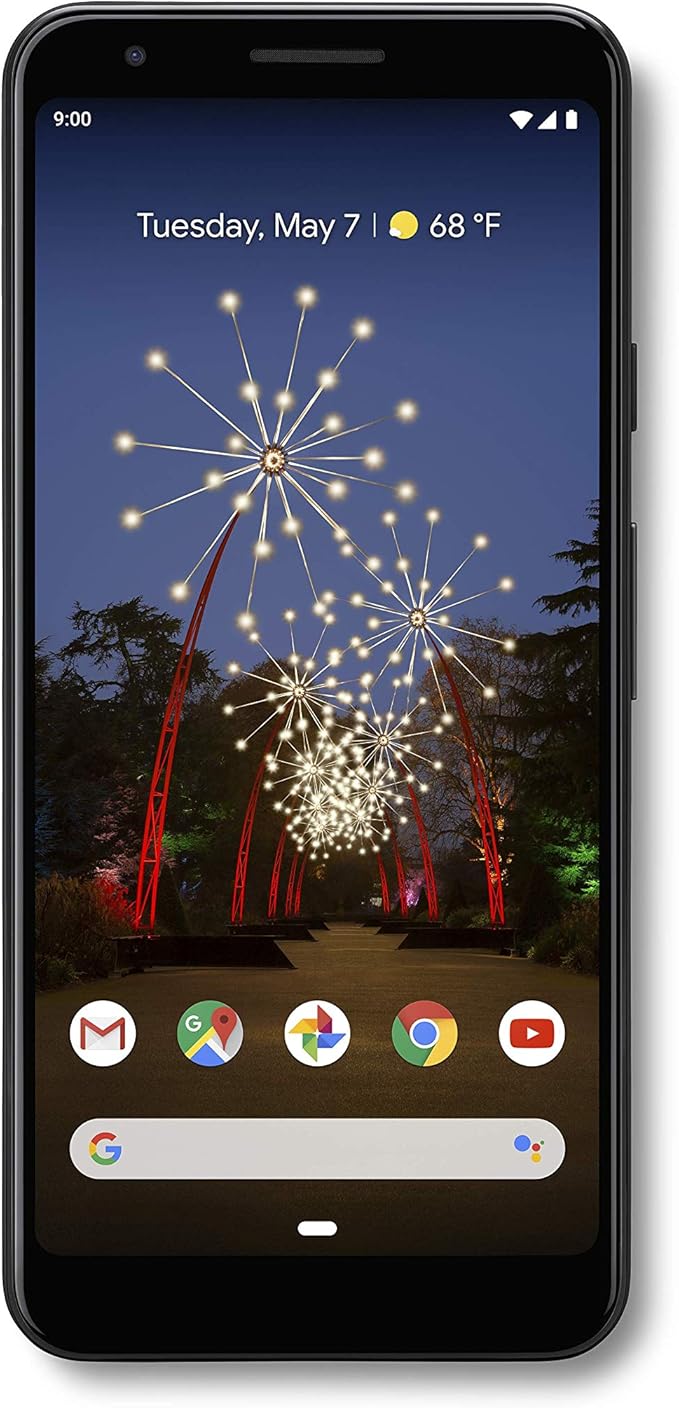
Initially, you may not locate any differences between budget friendly Pixel 3a and the top notch Pixel 3. But to get the Pixel 3a's price point low enough to make a noticeable impact on the customer, Google had to remove some niceties. The Pixel 3a drops the IP rating, swaps the glass with plastic material, takes away wireless charging, and switches out the high end PROCESSOR for something more middling. However, The Google Pixel 3a Amazon performs as well as my Pixel 2XL did, for at least half the price.

Positives: low-cost, incredible camera, google ecosystem, battery-life, headphone jack Disadvantages: slightly buggy smart phone application, cheaper materials, not quite waterproof, not having wireless charging, no earbuds included

The more expensive Pixel 3a XL is definitely spec-for-spec almost the same to the smaller Pixel 3a. The most significant major difference is the bigger battery juice and larger display. More juice means more power to get you during the entire day. You should consider the 3a XL whenever those are the features you favor.

One of the most very helpful features of the Google Pixel 3 is Active Edge, that enables you to squeeze the edges of the handset to call Google Assistant, and this is also present for the Pixel 3a, and that's something we did not expect offered the cheaper selling price. It did feeling just a little harder to press when compared to with the Pixel 3 however, so we noticed ourselves required to squeeze quite tight to utilise the feature. The Pixel 3a is a little bigger than its luxurious forebear, with the dimensions of 151.3 x 70.1 x 8.2mm, however , it's rather light weight at 148g - the reason is ,, as mentioned, instead of the glass back of the Pixel 3, the rear of the Pixel 3a is just plastic material, providing the handset a slightly little 'premium' experience.

The display on the Pixel 3a is awesome. We rarely once looked over the phone while in the review period and believed we were looking over at a smart phone that cost $399. Other than having a slightly poor pixel density when compared to its luxury counterparts, the Pixel 3a's display was wonderful to look at. We are likely to keep the screen brightness up throughout the day, bumping it up to 100 percent when out-of-doors. It would have been great to create a brighter display, especially for outdoor use. Google enables you to fine-tune the color tone of the screen. We saved the default Adaptive setting enabled because We discovered it just about the most true-to-life, even if colors were a lttle bit over-saturated at times.

Check Price - Availability - Reviews Here: https://www.whizzpage.com/google-pixel-3a-amazon-unlocked/

Wednesday, September 25, 2019

Sears Side by Side Refrigerators

Modern kitchens are in more demand today because they add luxury appearance to a home. These kitchens use all of the advanced home home appliances. Whether it's a kitchen oven or a wine refrigerator, having the latest devices for your kitchen helps producing it far more convenient and efficient. Side by side refrigerators are the most recent refrigerators and so are one of high end kitchen appliances. These refrigerators add graceful appearance to the modern kitchen.

Side by side refrigerators have a combination of both refrigerator and freezer and will be operated by two doorways of equal length. As freezer and refrigerator compartments are side by side these refrigerators offer easy access to both refrigerator and freezer. These models are elegant in style and are most well-known refrigerators in the current scenario. Convenience and size connected with side by side refrigerators allow knowledge beyond expectation.

Some of the leading producers of hand and hand refrigerators are GE, Kitchen-Help, LG and Whirlpool. These major brands offer durability and advanced functions in their refrigerators. A few of the essential features of hand and hand refrigerators include drinking water dispensers, ice dispensers, high capacity freezer compartments and multiple shelves for food arrangement.

If you are thinking of buying one of hand and hand refrigerators, you should be aware about the types and usages as units are produced keeping in mind the requirements of different users. Broadly these refrigerators are classified by their features of water dispensers and ice makers. A few of these units include or without water dispensers and with or without ice makers.

Shopping for a significant appliance just like a refrigerator needs planning since it is one of the largest expenses. Before taking any decision it really is good to build up your own checklist mentioning all the important points about your usage, color choice, capacity to be utilized, place where you will keep it and collect all the useful info about the various models and brands. Review these versions against each, which can only help you evaluate your choices and cull out the options to get the one that is right for you. In case you are searching for a side-by-part refrigerator, advantages like narrow door clearance or easy access to both fridge and freezer will help in selecting the design. Further, energy consumption is definitely the most important subject matter while choosing a house appliance, so has been refrigerators. Even though every brand boast about their features nonetheless it is essential to look for the precise energy-consumption rating.

Tuesday, August 20, 2019

Lenovo Flex 6 14 2-In-1 Laptop Computer

Featuring powerful and efficient AMD processing and a battery that lasts all day long - Plus quick recharging that may restore your battery replenish to 80% in just an hour - The Lenovo flex 14 Convertible touch screen laptop might help make your opinions happen. This multi-mode Personal computer has a physical Webcam Shutter for extra privacy also, as the digital pen support (active Pen included) allows you to write or sketch directly onto the entire HD 14" Display.

Use your Lenovo Flex 14 2-in-1 laptop computer in notebook computer mode for your everyday processing needs, fold it into tablet computer setting for contact or drawing screen conversation, or place it into tent or stand setting to binge your preferred streaming shows or Share a movie with friends.

Windows 10 enabled Lenovo Notebook includes comprehensive, built-in protection features, including firewall and Internet protections to help safeguard against viruses, malware, and ransomware. Family members Options and parental controls shall assist you to protect your kids online, keep an eye on their actions on the notebook tablet, and help set good screen time habits.

Combining Fast digesting multimedia and speed functionality, The Lenovo flex 14 is a great laptop for a college student, gaming enthusiast, or designed for all sorts of everyday use.

This notebook has amazingly good build quality, and is quite snappy to use. The achiles heel can be that it only provides 6 GB of RAM available to the OS, since it is certainly capped at 8 GB non upgradeable, and 2 GB are dedicated to the integrated graphics. 8 GB will be OK if fully usable, but 6 GB is getting a bit tight nowadays due to the horrible new tendency of desktop apps written in Javascript.

Apart from 8 GB instead of 16 GB RAM, this notebook is amazing, and I hope that Lenovo can continue steadily to consider the AMD Ryzen processors rather than Intel processors for potential laptops in this cost range. The latest-gen Ryzen has superb multicore overall performance. AMD's integrated graphics are also surprisingly great, considering that you get it free of charge from the processor chip especially. This computer will be able to run basically any AAA game released in 2013ish or before at high settings despite being an ultralight notebook with no dedicated graphics cards. Before you talk to, yes, it could run Overwatch or Fortnite at high settings well.

The SSD could probably be a little bigger in this age of cheap 3DNAND SSD's, nonetheless it is very fast. The computer boots instantly and has very little post-startup lag up, making the fingerprint reader very nice to have as login time would be enough time bottleneck in getting started otherwise.

The screen is fantastic, both as an HD screen and as a touchscreen. It really is larger than any iPad and gives an incredible touch experience. It was expected by me to be a bit bulky, but the laptop computer has an evenly distributed weight and balances well despite its size, so the tablet + pen knowledge is great. Used the pen to try writing and solving some physics equations with subscripts and superscripts, and it worked well great, much better than my old early-gen surface.

If I were Lenovo and could modification one thing, it will be switching up the motherboard to add more RAM while keeping the Ryzen. Although, running out of RAM isn't too poor with an easy SSD as the pc doesn't grind to a halt when swapping. Still, I'd be cautious about installing too many jobs running in the backdrop in order to keep the computer as snappy since it is when new. At this cost level, this is actually the best providing out there IMHO for a 2 in 1 laptop. A Microsoft surface area tablet with similar functionality would cost you twice as much.

Check Price & Deals:  https://www.whizzpage.com/lenovo-flex-14-2-in-1-convertible-laptop-amd-ryzen-5-3500u/

Wednesday, August 14, 2019

Diy Indoor Hydroponics System

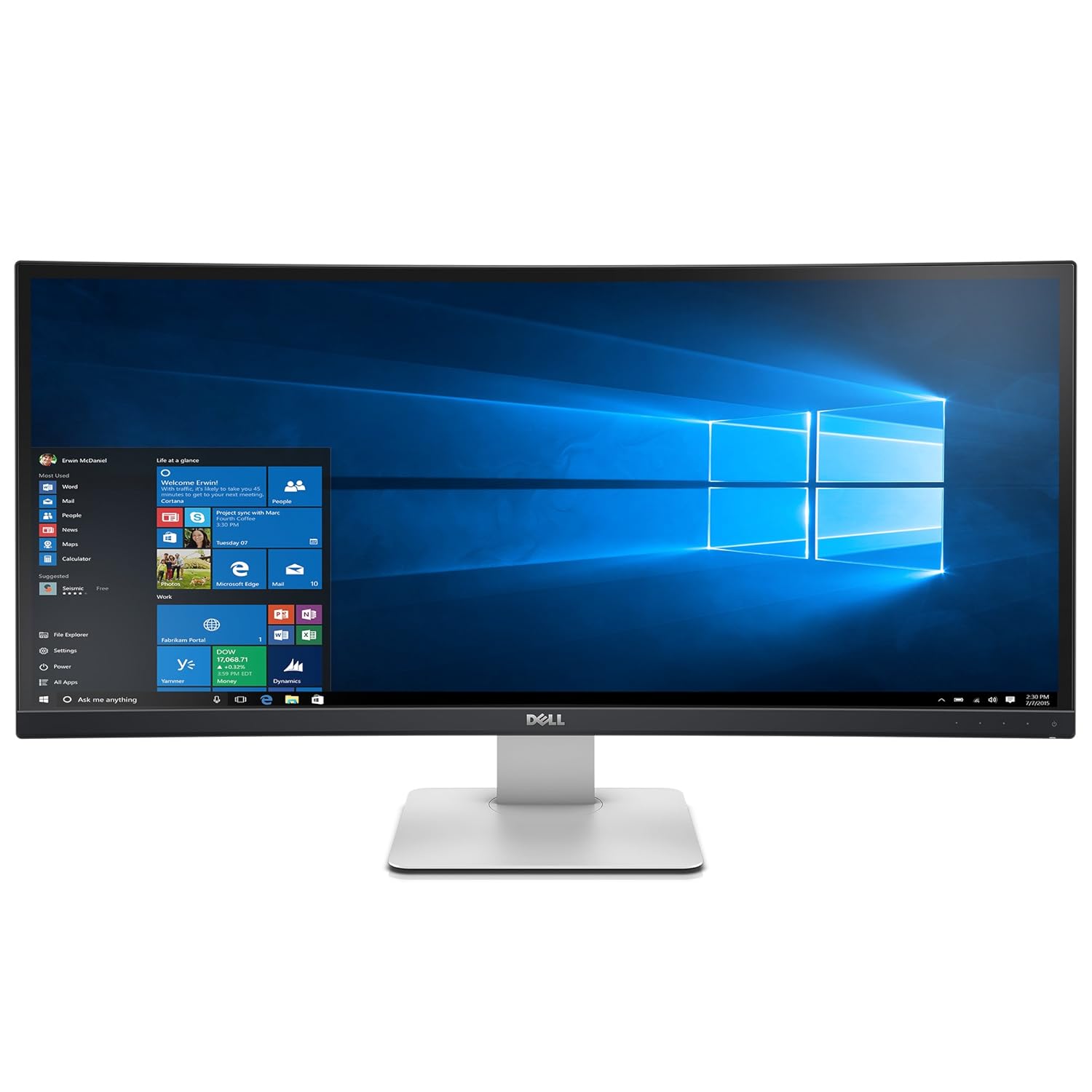
Curved-screen monitors haven't quite taken the market by storm, however they are starting to trickle in. With the UltraSharp U3415W, Dell joins Samsung and LG in releasing a gargantuan, 34-in ., ultra-wide, curved display made to bring enhanced panoramic looking at to the desktop. This monitor uses In-Plane Switching (IPS) panel technology to provide rich, accurate shades and solid gray-scale efficiency, with wide looking at angles. It really is equipped with numerous I/O ports and will be offering a USB hub and daisy-chaining capabilities, and it comes with a height-flexible stand. The U3415W at Dell doesn't come cheap, but you get a large amount of monitor and great functionality for your money. It's our top pick for ultra-wide monitors.

Design and Features

Dell's UltraSharp monitors have always maintained a pleasing aesthetic, however the U3415W takes it to some other known level with a slick, (mostly) bezel-free design that makes the gigantic 34-inch panel look even larger than it already is. The U3415W does sport a thin (3/4-inches), matte-black bottom level bezel that holds a Dell logo design, four touch-sensitive function control keys, and a Power switch, however the top and side bezels are microscopic practically.
The slightly curved 34-inch Wide Quad High Definition (WQHD) panel includes a optimum resolution of 3,440-by-1,440, a 300-nit brightness level, and a 21:9 aspect ratio. It really is housed within an 18.6-pound, matte-dark cabinet measuring 32.5 by 14.7 by 3 ins (HWD), and it includes a non-reflective, anti-glare coating. The cabinet is supported by a square, silver stand with a mounting arm that provides you 4.5 inches of height, 60 degrees of swivel, and 26 levels of tilt maneuverability. By way of evaluation, the LG 34UC97-S presents tilt adjustability, but lacks support for height and swivel adjustments. A pair is had by The U3415W of 9-watt speakers that are extremely loud and deliver robust, distortion-free audio. You do not obtain booming bass with these speakers, however they do provide enough bottom to keep from sounding tinny.
You get yourself a boatload of ports with this monitor, including two full-size DisplayPort connectors (one in and one out) that enable you to daisy-chain multiple monitors, a mini-DisplayPort input, an HDMI 2.0 input, another Mobile High Definition (MHL) input allowing you to connect to and charging smartphones and tablets, an sound line-out for external audio speakers, and six USB 3.0 ports, two of which are upstream connectors that allow you to share a keyboard and mouse with two PCs. My just gripe here is that of the USB ports are in the trunk of the cabinet; a few side-mounted ports would make it easier to plug and unplug peripherals like thumb drives and MP3 players.
The U3415W offers plenty of advanced and basic picture settings and a user-friendly menu system. Furthermore to Brightness, Contrast, and Gamma configurations, there are seven picture presets (Standard, Multimedia, Movie, Video game, Paper, Color Temp, and Custom). If you choose the Custom made setting up, you can tweak Offset and Gain amounts for reddish, green, and blue colors, in addition to Hue and Saturation levels for crimson, green, blue, cyan, yellow, and magenta colors. Additional changes include Sharpness, Dynamic Contrast, Picture-in-Picture (PIP), and Picture-by-Picture (PBP) settings, as well as a calibrated Uniformity Compensation establishing that adjust all areas of the screen to maintain uniform lighting and color with regards to the center of the display.
The U3415W has a 3-year guarantee on parts, labor, and backlight. Included in the box are a mini-DisplayPort cable, an HDMI cable, and an upstream USB cable. Additionally you get a printed Quick Start Instruction and a CD made up of a User Guide, drivers, and Dell's Display Supervisor software, which allows you to change picture presets using a keyboard and mouse and apply presets to specific applications. It also contains an Easy Arrange utility that lets you use custom made or predefined windowpane layouts.

Performance

The U3415W delivers extremely accurate colors from the box. As proven on the chromaticity chart below, reddish, green, and blue colours (represented by the colored dots) are very carefully aligned with their ideal CIE coordinates (represented by the boxes). As is the case with quality IPS panels usually, colors appear evenly saturated and abundant with tone. Gray-scale performance is top-notch also; the panel acquired no difficulty reproducing every color of gray on the DisplayMate 64-Stage Gray-Scale test and displayed elaborate highlight and shadow fine detail on my test images.
As was the case with the LG 34UC97-S, the U3415W's curved display screen brings you a little closer to the action even though gaming or watching movies. Playing Contact of Duty: Dark Ops on the big screen was exhilarating, as was watching Marvel's Captain America: THE WINTERTIME Soldier on Blu-ray. The 34-inch, wide-screen is perfect for users who work with several windows open typically, as well as those who work with large records or spreadsheets.
The panel's 5-millisecond pixel response keeps ghosting to the very least, but doesn't get rid of it completely. I noticed slight ghosting while playing Burnout Paradise on the Sony PS3 system but only when the background was very dark. Input lag (enough time it takes for the monitor to respond to a controller order) is a nonissue, thanks to the U3415W's low 10.5-millisecond lag time.
Despite its size, the U3415W doesn't draw a whole lot of power. It averaged 55 watts during screening while operating in Film mode, which is just about based on the LG 34UC97-S (56 watts in Cinema mode). In Regular mode, the U3415W utilized 46 watts, which is much less than the 32-in . Dell UP3214Q's in Amazon 88 watts.

Conclusion

Whether you're seeking to displace your dual-monitor setup with an enormous ultra-wide monitor or want to provide the curved-screen experience to your desktop, the Dell UltraSharp U3415W is an excellent choice. Granted, you'll pay a premium for all this screen real estate, but the U3415W is in fact less expensive than the LG 34UC97-S and offers better all-around functionality and a height-changeable stand, which explains why it really is our Editor's Choice ultra-wide monitor. If the Dell U3415W's cost is too steep, however, browse the 29-in . Acer B296CL it's not nearly as big as the U3415W, doesn't have a curved panel, and it's not a WQHD monitor, but it is a reasonably priced ultra-wide monitor that offers good performance and lots of features.

Friday, August 9, 2019

Dell Ultrasharp 34 Curved Monitor U3415W Pdf


Transport yourself to another global world.

Enter a fresh dimension of multitasking with a curved monitor that delivers an immersive, panoramic screen that surrounds your senses with amazingly detailed edge-to-edge WQHD (3440x1440) imagery and crystal-clear sound.

With a subject of view that enlists both most of your and peripheral fields of vision, the 34-inch 21:9 curved screen has an amazing, in-the-action experience.

Rich and engaging sound from dual 9 watt (18W total) built-in speakers transports you additional into your digital world.

Increase viewing comfort with a more uniform focal range. This implies that with a curved display, you won't move your eye as much as with a flat-display screen monitor.


Productive across all screens.

More connectivity features allow you to multitask on-screen or video game without interruption.

Look at applications between two PCs simultaneously on your screen and manage this content with only 1 keyboard and mouse.

Maximize your multitasking by linking multiple peripherals and monitors designed for massive screen real estate.

View seamlessly across multiple monitors by placing the thinnest edges side-by-side for an improved viewing experience.

Connect your smartphone or tablet to your monitor using Mini DisplayPort, or make use of HDMI 2.0 to find the best of the Internet and your favorite apps by displaying completely 21:9 aspect ratio.

Stay organized between applications, windows and emails on one display screen using Dell Easy Arrange.

Customize your viewing encounter with adjustable height, tilt and swivel options.


Connectivity Options

Ports and Slots:

1. Power connector | 2. MHL | 3. HDMI | 4. DisplayPort in | 5. Mini DisplayPort in | 6. DisplayPort out | 7. Audio range out | 8. 9 upstream. USB downstream | 10. Stand lock


Cables Included:

1. Mini DisplayPort to DisplayPort Cable (1.8m)

2. HDMI Cable (1.8m)

3. USB 3.0 upstream cable (1.8m)


Reliable and eco-efficient

Your Dell UltraSharp 34 Curved Monitor - U3415W is designed to be pixel perfect. That's why if you discover just one bright pixel even, we'll replace it under our Premium Panel Guaranteei.

Should you need help later on, this high-efficiency monitor also comes with a 3-year Limited Hardware Warrantyi and 3-year Advanced Exchange Servicei.

Enjoy hassle-free convenience while you upgrade your monitor's firmware with the brand new Firmware Update Utility software.


Environmentally-conscious design

The Dell UltraSharp 34 Curved Monitor - U3415W meets the most recent regulatory and environmental standards.

TCO Certified Displays

Made with eco-friendly materials, the U3415W is certainly BFR/PVC-free (excluding exterior cables) and has an arsenic-free glass and mercury-free LED panel.

Enhanced power management with PowerNap dims the monitor to the minimal brightness level or place it into rest mode when it is not in use.


Conclusion

Dell's U3415W is the best 21:9 monitor we've tested so far. It offers superior contrast to the LG 34UC97, and while it falls a bit behind in color accuracy, it's normally on par. The stand is certainly superior, too, that makes it better suited for the professional video and image editors who will be the target audience.

The relevant question is simple; do you need 21:9? If you do, and you want solid image quality also, Dell's U3415W may be the way to go. It makes better sense than the LG 34UC97, which is definitely more expensive and less practical. If you're not really married to the basic idea of an ultra-wide set, however, you can somewhere else find value.

Check Price - Availability - Reviews Here: https://www.whizzpage.com/dell-ultrasharp-u3415w-34-inch-curved-led-lit-monitor-review/